

01
Dashboard
Revenue, expenses and profit at a glance, with a chart of the last 12 months, open and overdue amounts, and a backup reminder.
BOMDOXI / All products / Freelancer Business Toolkit – DACH Edition
Offline app · DE · AT · CHInvoices, quotes, expenses, projects, time tracking and profit reports in one simple offline app for freelancers and the self-employed in Germany, Austria and Switzerland. No subscription, no account, no cloud. Buy once, download instantly, use it in your computer's browser. The app is in German.
The app and its files are in German.
Etsy shows the price in your currency at checkout.
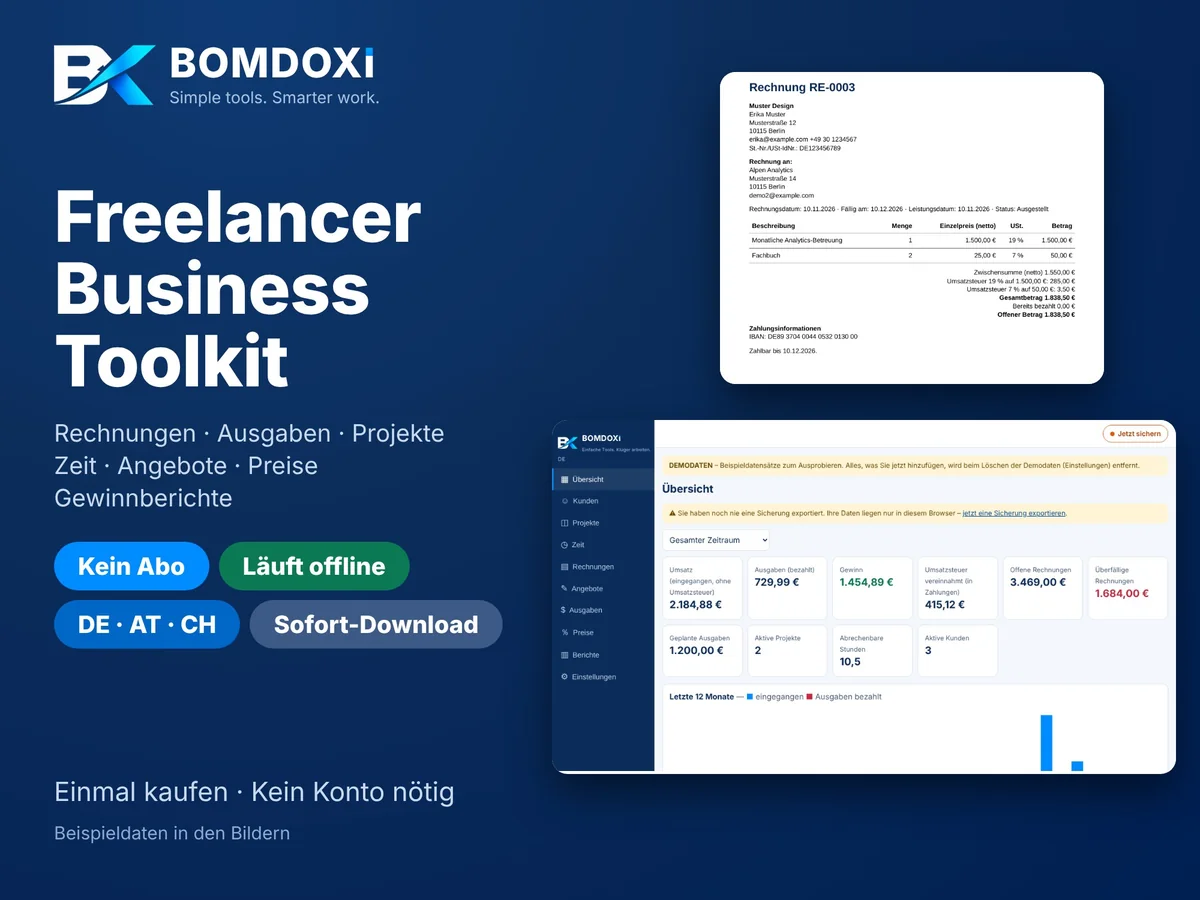
A single HTML file you open on your computer. All data stays stored locally in your browser. No registration, no internet connection and no monthly fees. The DACH Edition is the German version of the English app, with country-specific features for Germany, Austria and Switzerland.
Revenue, expenses and profit at a glance, with a chart of the last 12 months, open and overdue amounts, and a backup reminder.
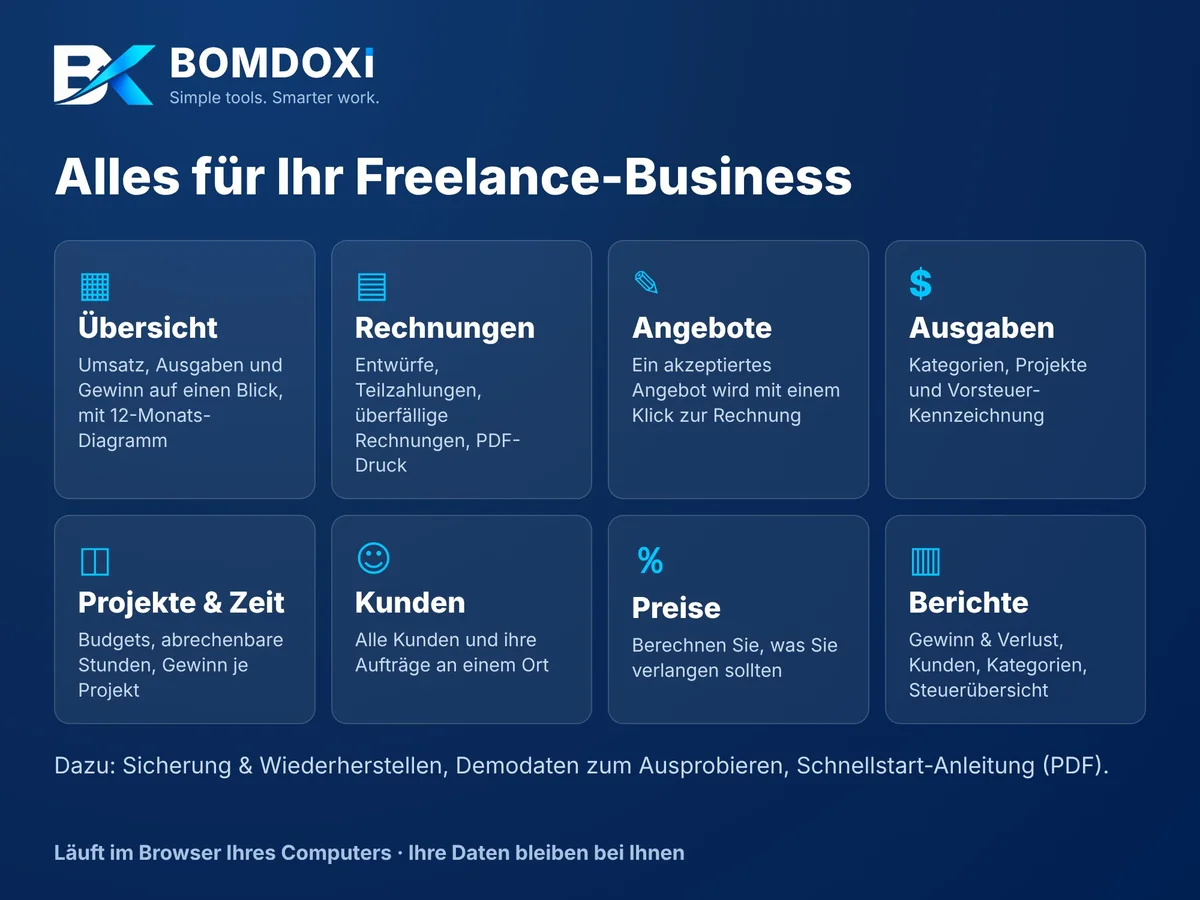
Create invoices as drafts, issue them, record partial payments, spot overdue invoices, cancel them and print to PDF. The tax rate can be chosen per line, with percentage discount, service date and client reference. Invoice numbers are checked for uniqueness.
Create, duplicate and print quotes with a validity date. An accepted quote turns into a draft invoice in one click.
Record business expenses with category, supplier, payment method and project. Optionally mark the input VAT included in the amount. Expenses marked "paid" feed into the profit figures.
Manage projects with budget, estimated hours, deadline and hourly rate. The app shows amounts invoiced and received, paid expenses and the realised profit per project.
Log hours per client and project, mark them billable and value them at your own hourly rate.
All clients with a structured address (street, house number, postcode, town, country), contact person, email, phone and tax ID in one place, with their invoices and projects. Clients with linked records can be archived.
Work out what price to charge: platform fees, taxes, hourly rate, net profit, margin, markup and break-even price.
Profit and loss, client revenue, expenses by category, project profitability and a tax summary for periods such as a month, quarter or calendar year, with CSV export and print/PDF. Reports follow a cash-basis view and do not replace a tax return.
Export and import as a JSON file. A button at the top right of every page ("Jetzt sichern" / "✓ Gesichert") reminds you to back up after changes, because the data lives only on your device.
Made-up sample data to try things out, removed again with one click.
Offline: no cloud, no account, no data transfer. Data is stored in your computer's browser (IndexedDB). Runs in current browsers; Chrome or Edge recommended.
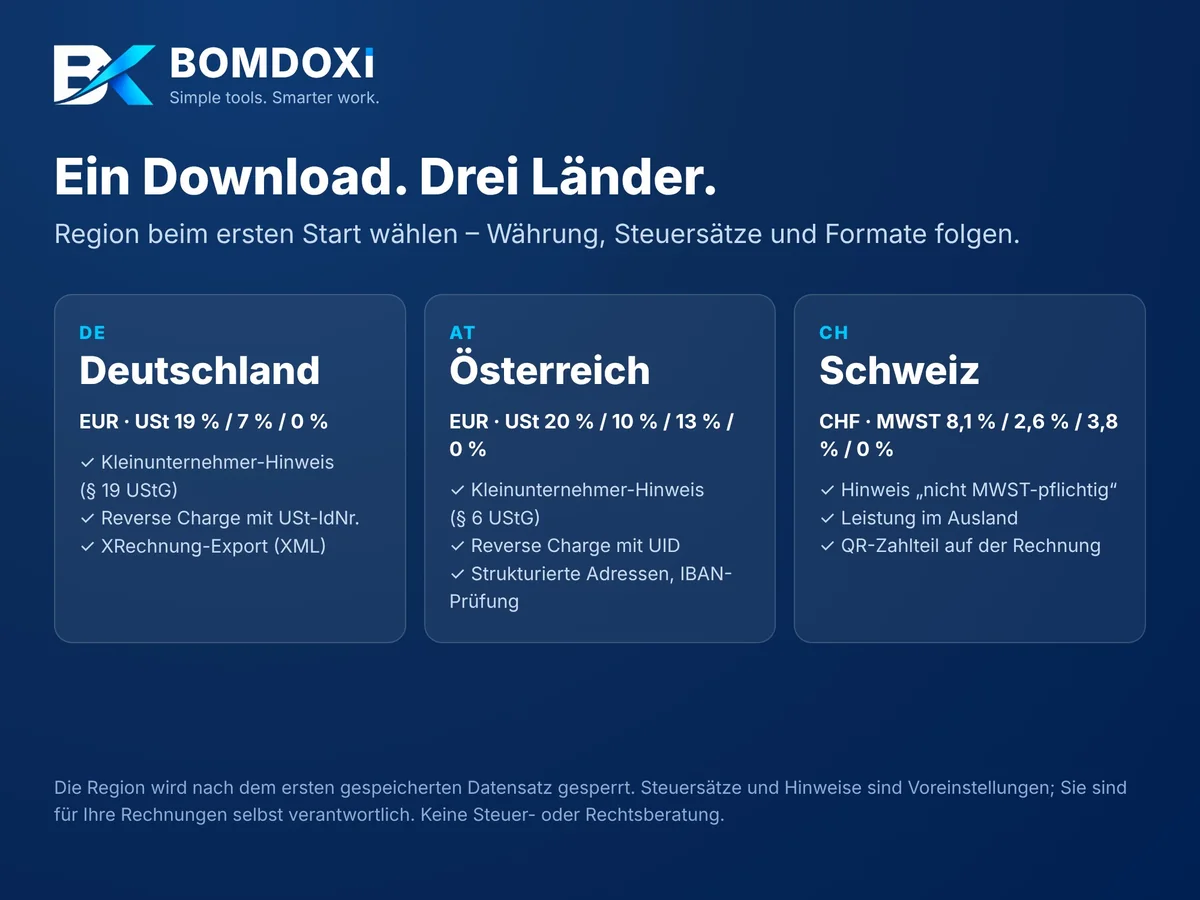
Choose your region the first time you open the app. Currency, tax rates, notes, date format and invoice layout follow automatically. The region locks once the first record is saved.
Download the ZIP file.
Unzip it and open index.html in the "BOMDOXI-Freelancer-Toolkit-DACH" folder.
Choose your region, enter your business details under "Einstellungen" (Settings) and start.
We'd rather you know exactly what you're getting.
One-time purchase. Instant digital download.
Etsy is our main store. The same product is also on Payhip and Gumroad.Etsy shows the price in your currency at checkout.
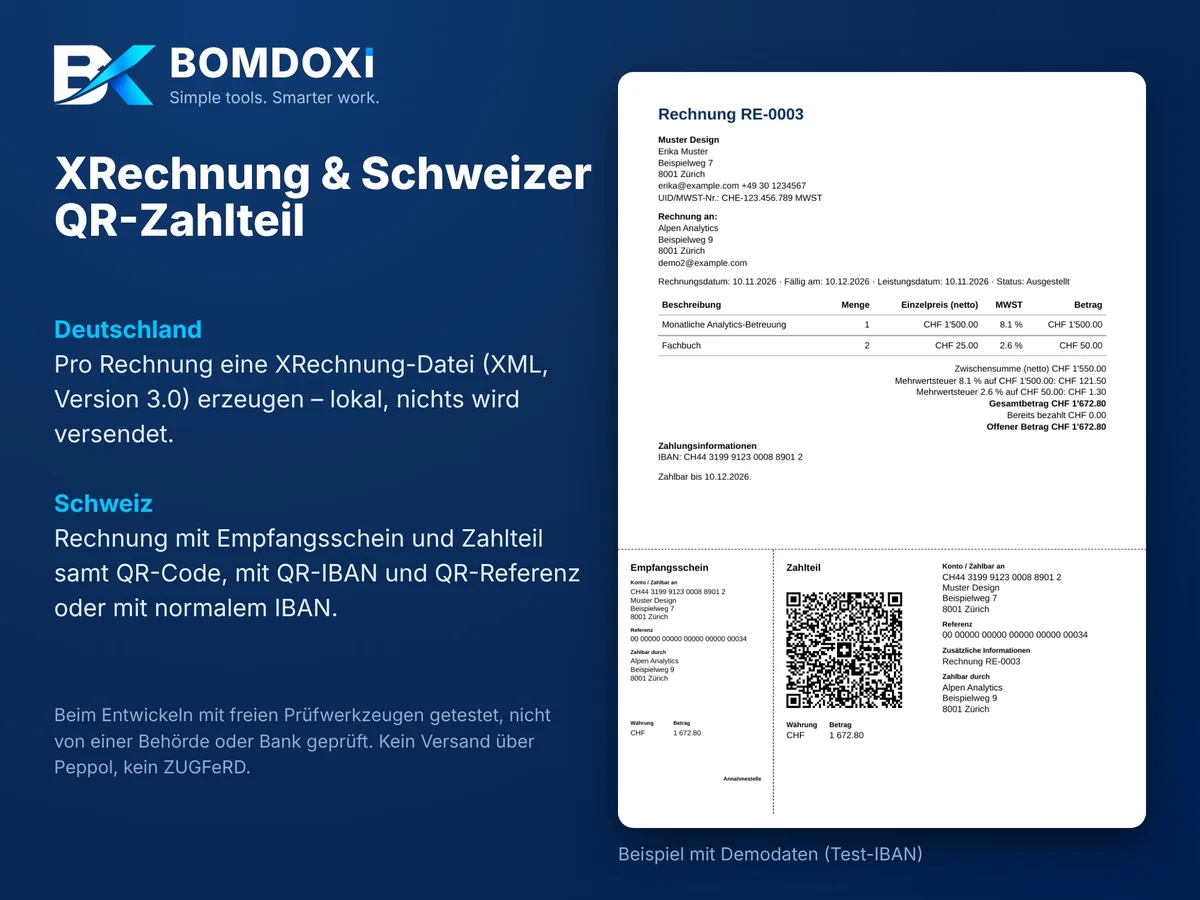
For each invoice the app creates an XRechnung file (XML, version 3.0, CII syntax). It is created locally on your computer; nothing is sent. Before export the app checks for missing mandatory details and lists them. Not included: ZUGFeRD, sending via Peppol and reading e-invoices you receive. During development the files were checked with the open-source Mustang validator, not by a public authority. Whether your client accepts the file depends on their system: test the first file.
The printed invoice has the receipt and payment part with a QR code at the bottom, following the Swiss Implementation Guidelines. With a QR-IBAN a QR reference is created; with a normal IBAN, a payment part without reference with the invoice number as the message. The QR code was confirmed valid with a freely available QR-bill validator, not by SIX or a bank. Test the first payment part with your banking app without confirming the payment.
Freelancers, the self-employed, consultants, designers, copywriters, developers and side-business owners in Germany, Austria and Switzerland who want to manage clients, invoices and profit simply and privately, without another monthly subscription.
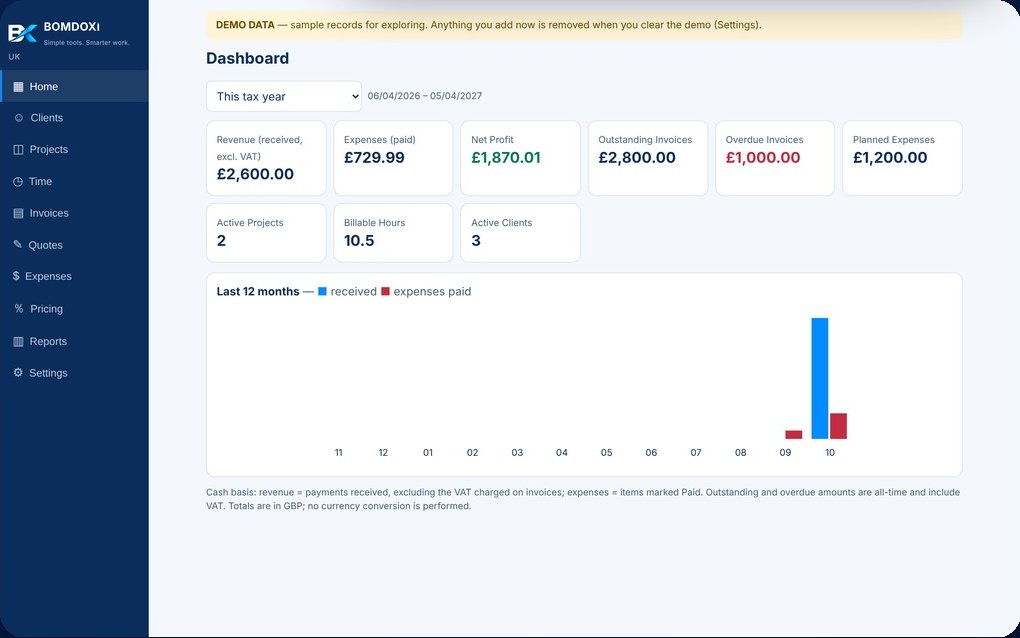
Invoices, quotes, expenses, projects, time and profit in one simple offline app.
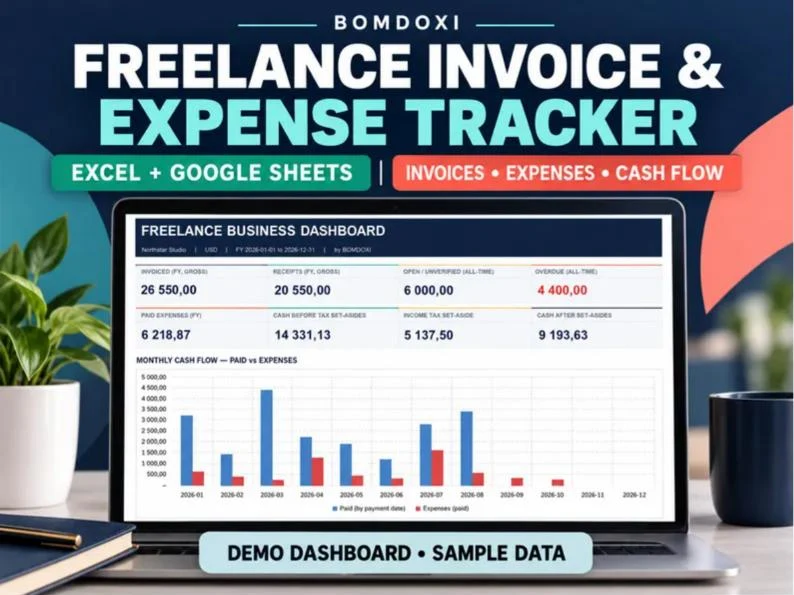
Invoices, cash received, clients, paid expenses and a tax set-aside in one Excel workbook, with Google Sheets copies.