1. Start Here
A built-in guide to setting up and using the workbook.
- Set-up steps: Settings, Price List & Supplies, Team & Checklists
- What to do for every new client, every day and every week or month
- How the workbook works: blue headers for typing, grey headers calculated, the Check column
- Definitions of every figure: revenue earned, cash collected, net profit, suggested price, regular prices
- Capacity of the workbook at a glance
2. Dashboard
Your business at a glance, updated from your records.
- Period filter: this tax year, this month, last 30 days, all time, each MTD quarter (Q1–Q4) or each month of the tax year (April to March)
- Client type filter
- Four cards: revenue earned, cash collected, net profit and pounds per cleaner-hour
- Net profit card shows the suggested tax set-aside for the tax year
- Revenue by service type: lines, revenue, share and pounds per cleaner-hour
- Business health with healthy ranges: cleaner pay as % of revenue; profit after paying yourself (if you clean too); supplies as % of revenue; regular clients' share of revenue; re-cleans per 100 cleans; late cancels and lockouts; active recurring plans and their monthly value; average ticket
- Needs attention: 11 counters, from work not invoiced to tax deadlines due soon and entries to fix
- Cash in vs. cash out chart by tax month
- Team for the current pay period, who owes you and top clients of the tax year
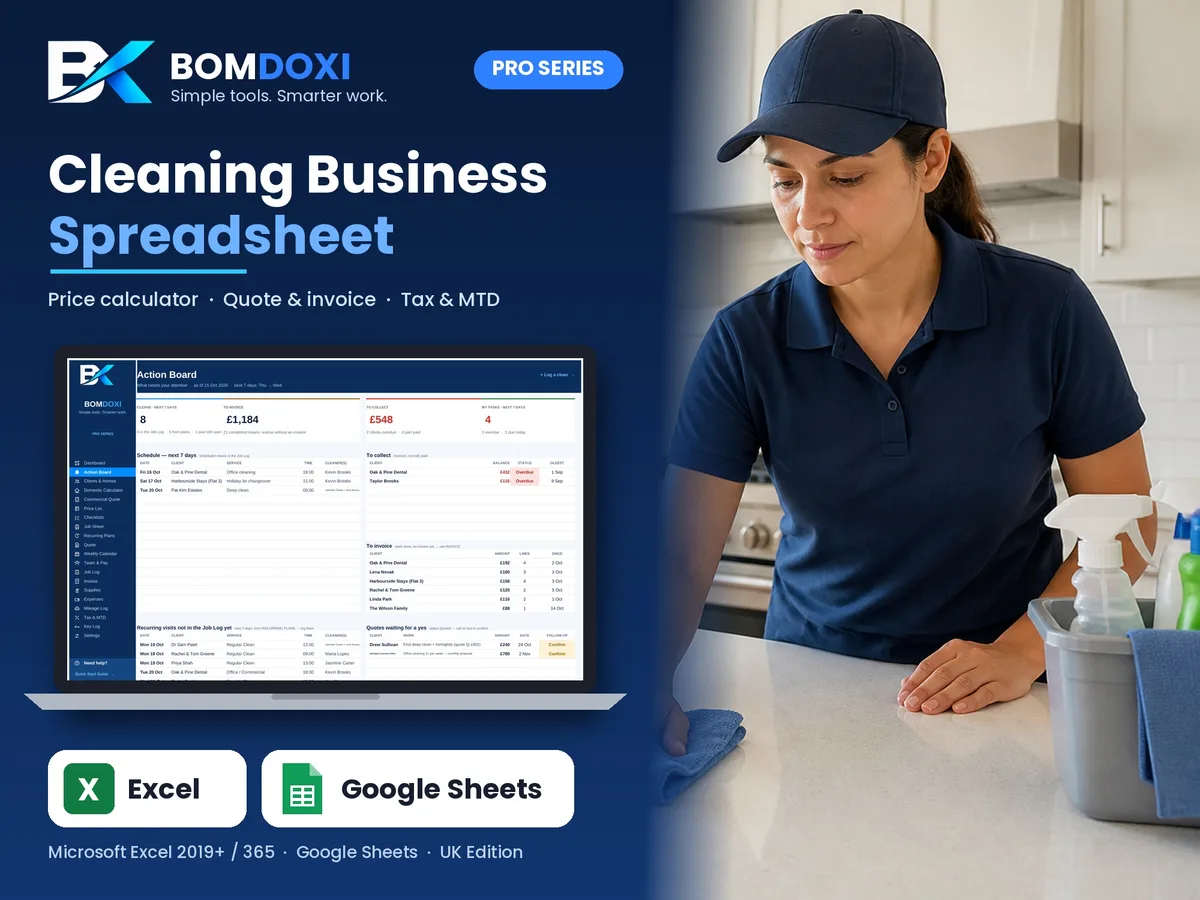
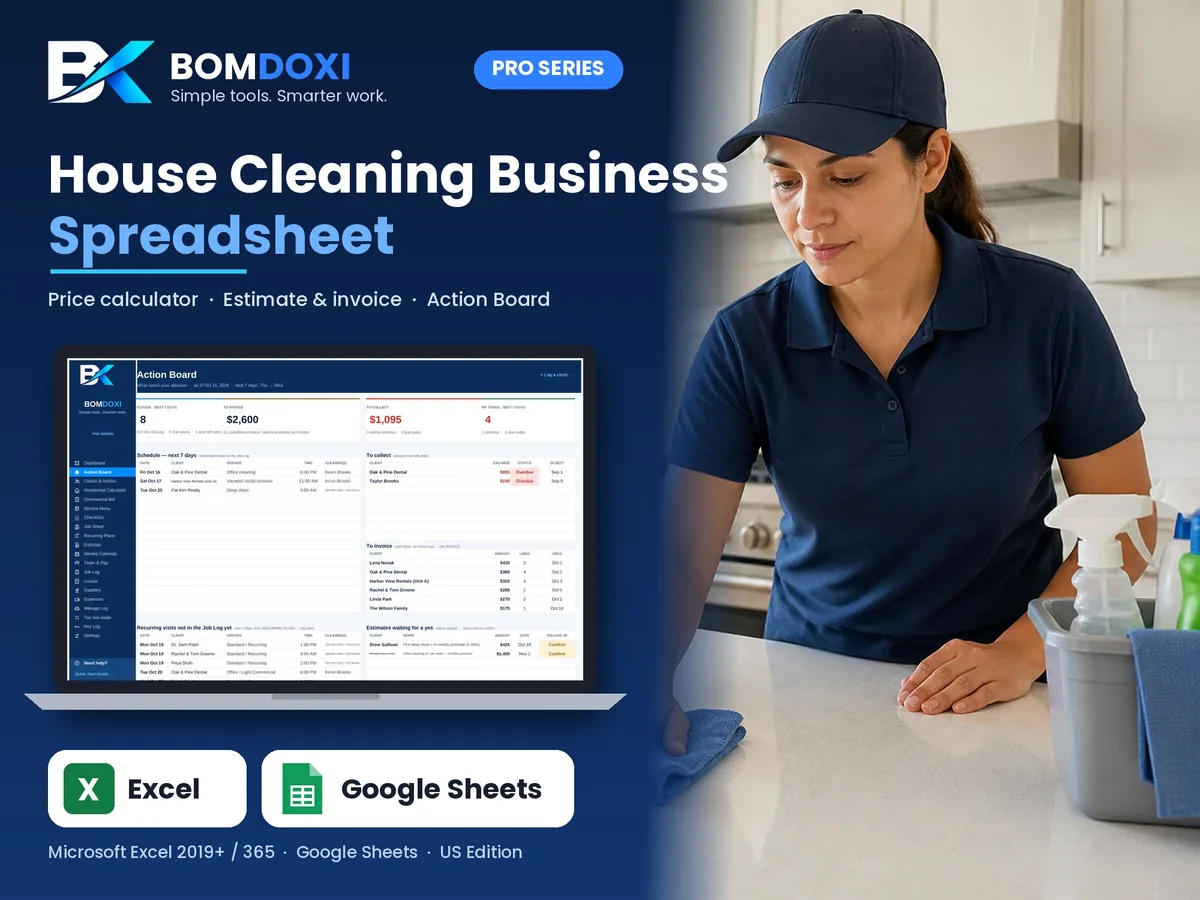
3. Action Board
What needs your attention today and this week.
- Schedule for the next 7 days from the Job Log
- To collect: invoiced work not fully paid, overdue first
- To invoice: completed work with no invoice yet
- Regular visits from your plans that are not in the Job Log yet
- Quotes waiting for a yes, with a follow-up flag when the date has passed
- Past cleans still open, with days ago
- Reminders: supplies to reorder, key alerts, plans ending, leads to follow up and the next tax deadline (MTD quarterly update or Self Assessment payment)
- Your own task list (25 rows) with due date, client and status: Overdue, Today, This week or Later
4. Clients & Homes
One row per client and address.
- Contact details, address, town / city, county and postcode
- Property type: flat, maisonette, terraced house, end of terrace, semi-detached, detached, bungalow, cottage, HMO / shared house, office / commercial or other
- Client type (homeowner, tenant, landlord, letting / estate agent, holiday let host, builder / developer, office / business), status (Lead, Active, Paused or Lost) and lead source
- Usual service type, frequency and price per visit
- Property details: floor area in m², bedrooms, bathrooms, separate WCs, floors (storeys), pets, floor type and condition
- Whether the client supplies the products
- Entry method (client at home, key we hold, key safe, door / keypad code, smart lock, concierge / porter, neighbour has key), key tag number and access notes
- Revenue for the tax year, unpaid work, last clean and next clean, filled in automatically
- Property details fill the calculators, quote and job sheet
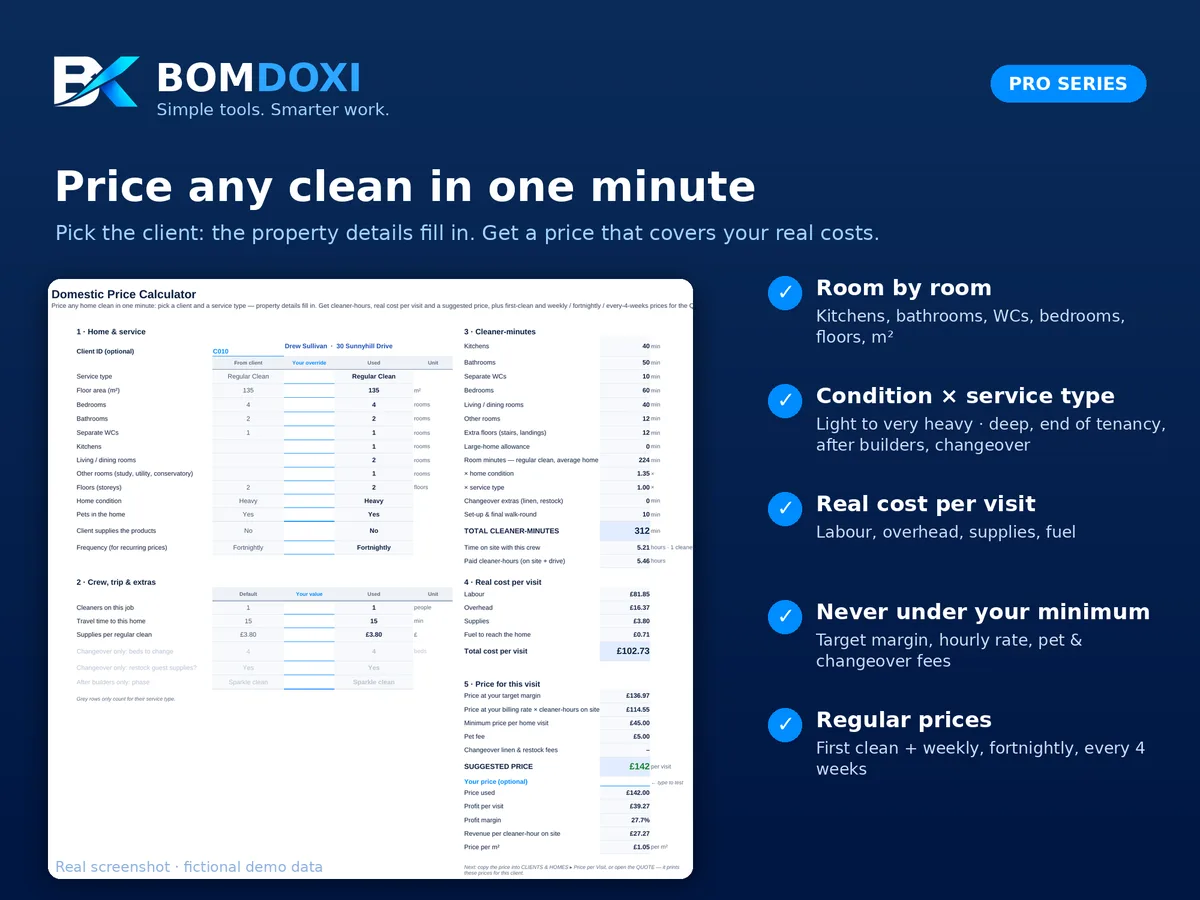
5. Domestic Price Calculator
A suggested price for any home clean.
- Pick a client and a service type, or type the property details
- Minutes per room for kitchens, bathrooms, separate WCs, bedrooms, living areas, other rooms and extra floors
- Property condition: Light, Average, Heavy or Very heavy
- Large-home allowance (per 100 m² over 185 m²), after builders phase and holiday let extras (linen, restock)
- Cleaner-hours, time on site with your team and travel time to the property
- Real cost per visit: labour, overhead, supplies and fuel (price per litre, converted to UK gallons)
- Suggested price: the highest of target margin, hourly rate and minimum per visit, plus pet and changeover fees, rounded up
- Supplies set to zero when the client supplies the products
- Your own price (optional) with profit per visit, margin and revenue per cleaner-hour
- Regular options: first clean, weekly, fortnightly, every 4 weeks and one-off
6. Commercial Quote Calculator
A price for small offices, surgeries and shops.
- Floor area in m², toilets / washrooms, staff kitchens and visits per week (1 to 7)
- Production rate for general areas and cleaners per visit
- Out-of-hours or weekend premium
- Hours per visit, real cost, price per visit and monthly contract value
- Price per m² per visit, profit per month and yearly contract value
- Comparison of 1 to 5 visits per week
7. Price List & Extras
Your price list, pre-filled with 40 common UK services.
- Regular cleans by property size, deep cleans, end of tenancy from studio to 4+ bedrooms (oven, fridge and cupboards included)
- Per-m² rates for deep cleans and after builders cleans
- Holiday let changeovers, linen change and restock
- Office cleaning per hour, per visit and per toilet / washroom
- Extras such as single and double oven cleans, fridge / freezer, inside cupboards, interior windows, blinds, skirting boards, carpet cleaning, ironing and laundry
- Fees such as pet hair, heavy soiling, travel charge and late cancellation / lockout
- Price, unit, supply cost, cleaner-minutes and VAT flag for each line
- Margin, revenue per cleaner-hour and Pricing Health: On target, Below target or Losing money
- Up to 80 lines; prices are typical 2026 UK examples to change for your area
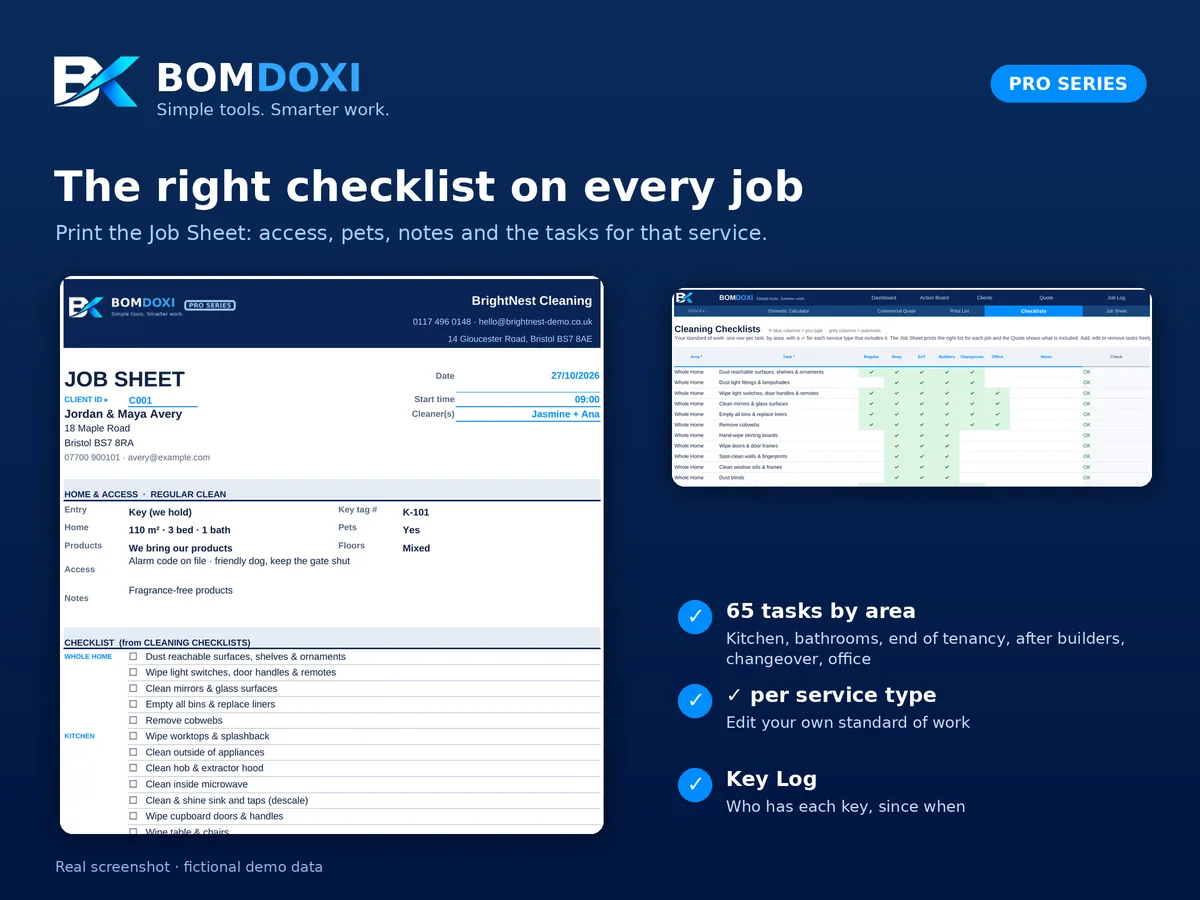
8. Cleaning Checklists
Your standard of work, by area and service type.
- 65 tasks pre-filled across areas such as kitchen, bathrooms, bedrooms, floors, end of tenancy extras, after builders, changeover, office and toilets & washrooms
- A ✓ for each of the six service types that includes the task
- Up to 120 tasks; add, edit or remove freely
- Feeds the Job Sheet and the "what's included" list on the Quote
9. Job Sheet
A printable sheet for each clean.
- Client, address, service type, date, time and cleaners
- Entry method, key tag, access notes, pets and client preferences
- The checklist for the service type (up to 60 tasks)
- Your guarantee and signature lines
10. Recurring Plans
Your regular clients and what they are worth.
- Client, service type, frequency, first visit date, start time, hours on site and cleaners
- Price per visit (blank uses the client's price)
- End or renewal date, with an "Ending soon" status 30 days before
- Next visit, visits per month, monthly value and yearly value
- Status: Upcoming, Active, Ending soon or Ended
- Several visits a week (offices): one plan per weekday
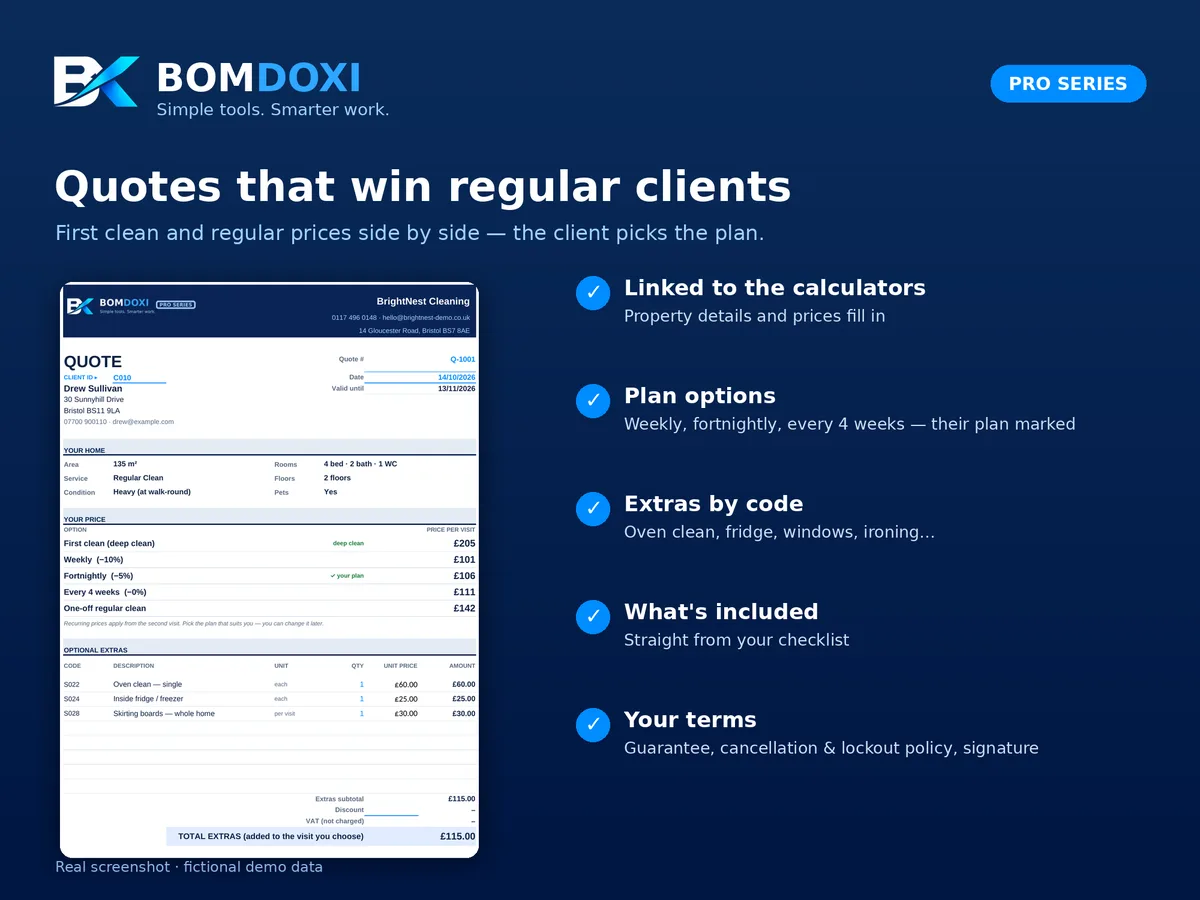
11. Quote
A printable quote for homes or offices.
- Domestic or commercial, linked to the calculators
- Client details, property or space details and price per visit
- Regular price options for homes: first clean, weekly, fortnightly and every 4 weeks
- Up to 8 extras by service code
- VAT on extras once you are VAT registered
- What's included, taken from your checklist for the service type
- Valid-until date, guarantee, cancellation policy, terms and a signature line
12. Weekly Calendar
Your week at a glance, with nothing to type but the week start.
- Seven days, up to 8 visits per day
- Every visit in the Job Log, scheduled or done
- Recurring plan visits not logged yet, marked ↻
- Client, time, service and cleaners for each visit, plus a week total
13. Team & Pay
Your cleaners and what you owe them.
- Name, role, worker type (Employee (PAYE), Self-employed subcontractor or Owner) and pay type
- Pay hourly, per job or as a % of the job
- Pick a pay period: jobs, cleaner-hours, revenue of their jobs, pay, tips and total to pay
- Tips and pay split between two cleaners on the same job
- Labour as a % of the revenue each person brought in
- Up to 20 team members
Note: a pay calculator, not payroll software. PAYE, holiday pay and workplace pensions stay with your payroll provider.
14. Job Log
Every clean, extra and fee, from booking to payment.
- Date, start time, client, service type, service code, quantity and optional override price
- Status: Quoted, Scheduled, Completed, Skipped, Cancelled, Late Cancel / Lockout or Re-clean (guarantee)
- Late cancel or lockout charges your fee; a re-clean is free and tracked for quality
- Cleaner 1, cleaner 2, actual cleaner-hours and tip
- Invoice number, paid date, amount paid and payment method (bank transfer, standing order, Direct Debit, card, cash, cheque, PayPal)
- Amount, revenue per cleaner-hour, VAT flag, payment status, amount received and balance due
- Up to 2,000 lines
15. Invoice
A printable invoice for any client and period.
- Lists the client's completed cleans, extras and fees automatically (up to 25 lines)
- 5 extra lines you type yourself
- VAT on lines where it applies (0% until you are VAT registered), payments received and balance due
- Your VAT number in the business details once registered
- Due date from your payment terms and your payment instructions
- Shows the next free invoice number
16. Supplies
The real cost of supplies per clean.
- 18 common products pre-filled in pounds and litres, with cost per unit and cleans per unit
- Cost per clean, stock status and stock value
- Items at or below the reorder level show on the Action Board
- The average supply cost per regular clean feeds the calculators
- Up to 60 items
17. Expenses
Every business cost, recorded once.
- Date, category, description, supplier, amount, payment method and receipt kept
- 23 UK categories, including cleaning products, hoovers & equipment, staff wages (PAYE), subcontracted cleaners, employer NI & pension, public liability insurance, DBS checks, fuel, parking & congestion charge and accountancy
- SA103 / MTD category shown for each expense (editable mapping in Settings)
- Optional client link for job-specific costs
- Up to 1,500 expenses
18. Mileage Log
Business driving with HMRC simplified mileage applied.
- Date, vehicle, purpose or route, odometer readings or miles, optional client
- 55p a mile for the first 10,000 business miles of each tax year, 25p above (from 6 April 2026), from an editable rate table by date in Settings
- Running total of business miles in the tax year before each trip
- Deduction per trip
- Up to 1,000 trips
19. Tax & MTD
How much to put aside, and your Making Tax Digital totals.
- Tax months from the 6th to the 5th: income collected, expenses paid, mileage deduction and estimated net profit
- Suggested set-aside with what you actually saved: UK estimate: profit projected to a full tax year with income tax (Personal Allowance, 20 / 40 / 45%) and Class 4 NI (6% / 2%), spread evenly over the months; or a fixed % of profit (Scottish taxpayers or people with other income)
- Editable rate table (2026/27 rates pre-filled)
- Vehicle method: simplified mileage rate or actual vehicle costs
- Making Tax Digital: income and profit for each standard quarter, update deadlines (7 Aug, 7 Nov, 7 Feb, 7 May), date sent and status
- Self Assessment: 1st and 2nd payments on account and balancing payment, with due dates, estimates and status
- VAT registration check: sales in the last 12 months against the £90,000 threshold
Note: a planning estimate, not tax advice. It does not send anything to HMRC.
20. Key Log
Every client key, fob or remote you hold.
- Tag number, client, key type, status, who holds it, date out and date returned
- Status: In office, With cleaner, Returned to client or Lost
- Alerts: with a cleaner more than 7 days, key of a paused or lost client, lost key
- Up to 150 keys
Note: label keys with tag numbers, never with addresses.
21. Settings
Your business details and the pricing engine behind every calculator.
- Business name and contact details, trust line (e.g. "Fully insured · DBS-checked team"), tax year and as-of date
- VAT rate and tax set-aside percentage
- Billing rate, labour cost and overhead per cleaner-hour, target margin, minimum per home and per commercial visit
- Default cleaners per job, price rounding, travel time and speed, fuel economy (mpg) and fuel price per litre
- Fees: pets, late cancel or lockout, linen change, restock; cancellation notice; office production rate (m² per hour)
- First clean priced as a deep clean (Yes or No)
- Quote validity, payment terms, guarantee, cancellation policy, quote terms and invoice footer
- Pricing tables: service types with time and supply multipliers; frequency discounts; property condition; after builders phase; minutes per room
- Editable lists: client types, property types, entry methods, payment methods, lead sources, price list categories, supply categories, checklist areas, expense categories with their SA103 category, and mileage rates by date